
Passwords are secrets you type to sign in, while passkeys use cryptographic keys stored on your device for password-less authentication. Passwords can be forgotten, reused, or phished; passkeys combine your device and biometric or PIN, making sign-in faster, more secure, and phishing-resistant.

Start recovery from the login page
- Go to the Gig-A Log In page.
- Enter your email address.
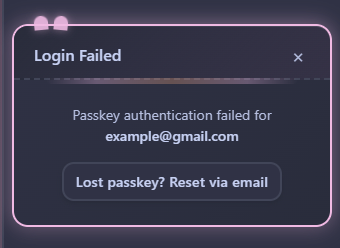
- When the passkey prompt appears, if it fails or you can’t complete it, click Forgot/Lost Passkey.
Use the email recovery link #
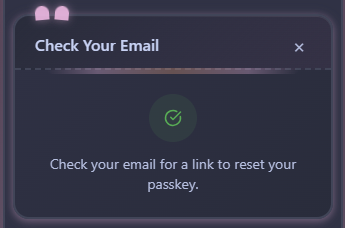
- After clicking Forgot/Lost Passkey, Gig-A sends a secure, time-limited recovery email to that address.
- Open your inbox and find the message from Gig-A.
- Click the recovery link in the email.
*** If you don’t see the email, check Spam or Promotions, or search for “Gig-A”.
Create a new passkey and sign in #
- After clicking the recovery link, you’ll be taken to a Create a new passkey screen.
- Choose Create passkey and approve the device prompt (Face ID / Touch ID, Windows Hello, or device PIN).
- Once the new passkey is created, you’re logged in automatically.


